My First Paperless PD

Welcome back!!

Today I was one of thousands of teachers to go back to school after a nice winter break. We had a network wide “Mid-Year Retreat” which served to provide us with data analysis, growth data, goal updates, break out brainstorming sessions and updates on network wide initiatives.

I decided that after reading a few inspirational articles about paperless classrooms and paperless students, I would try my first PD of 2013 paperless.

My tools:

iPad 3rd Generation Wi-Fi (w/ Smart Cover)

Capacitive Stylus

-Apps: Penultimate, Evernote


How did I use these tools?

I used Penultimate to take all of the notes, using the stylus as my writing utensil  This worked out rather well, as for the most part my handwriting was legible (enough for myself), and the navigation of the app was effortless. The only issue I ran into was my wrist disrupting the writing, or changing my page while I was taking notes, but there are simple settings in the Penultimate app that correct this.

After the day of taking notes by hand, I simply closed the “Notebook” I had created in Penultimate and then exported it to Evernote. In Evernote, I have all of my other notes organized for prior PDs, and filing this one away was rather easy.
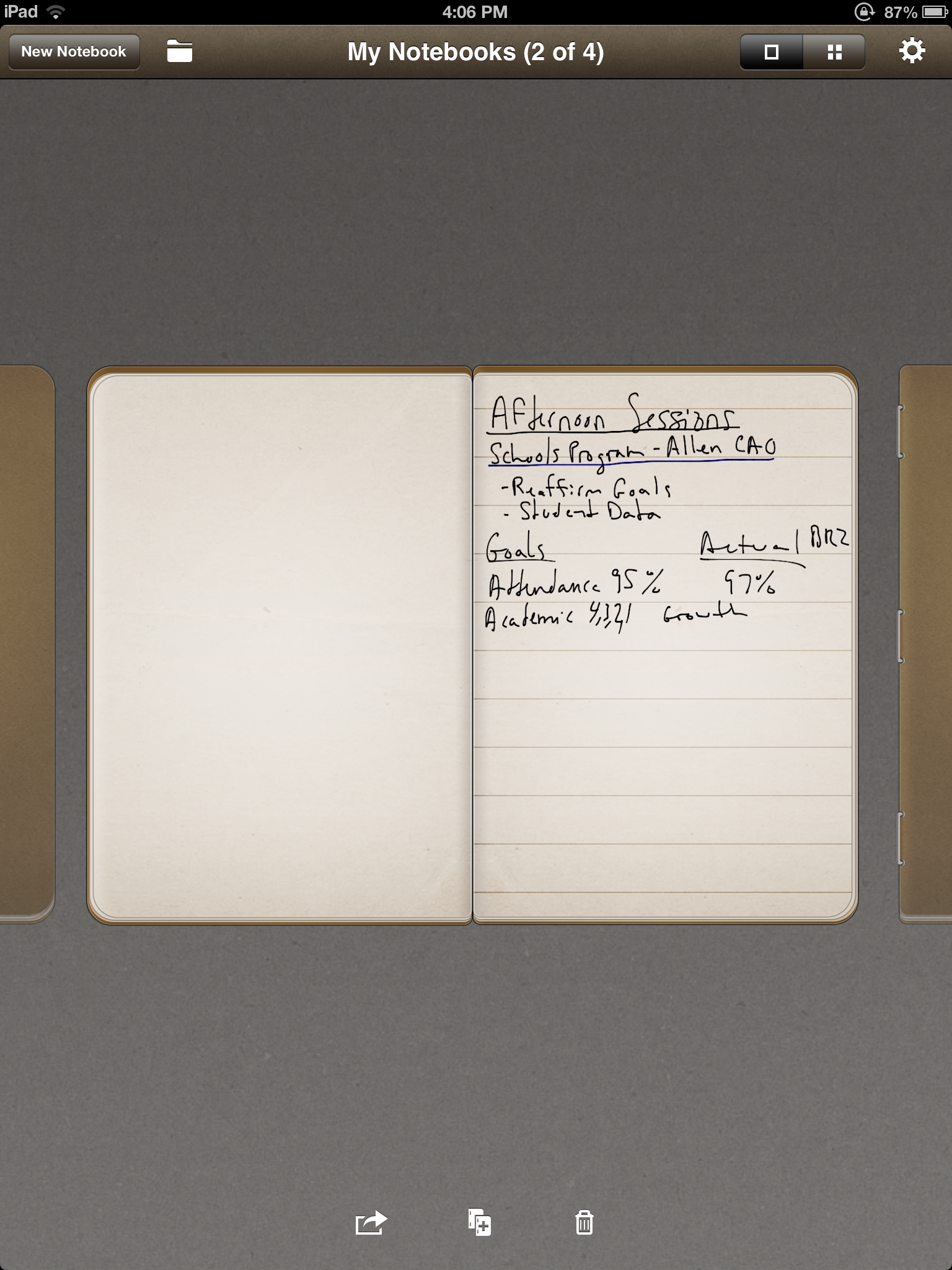
 

IMG_0080

IMG_0081

Why Go Paperless?

The first obvious reason is that it allows me to create a very well organized note taking system, without being cluttered with actual files, notebooks, paper and extra weight in my bag. The reason why I chose to do it this way, is simple because I was sick and tired of lugging my laptop to all the meetings. It is not THAT heavy, but it is a pain to get it out, turn it on, sit and type a few quick notes, then shut it down and move to the next session. The iPad and the accompanying apps were very easy and I will absolutely do this again for our next PD.

Project 366 – A Year In Pictures

It has been roughly 48 hours since my “Year in Pictures” project officially ended.

I made the decision at about 11:45pm on January 1st, 2012 that I was going to take one picture everyday for the year 2012. I completed that goal, well almost, as I came up about three pictures short. I am not exactly sure what days I missed, as some days I was better than others, but i learned a great deal about myself, my photography skills, sharing your daily life and expectations.


To begin with, I loved the task of finding something creative, fun or unique and documenting it. However, this was undermined on those days I was too busy to eat, and snapped a quick picture of the closes thing to me as I crawled into bed at night. I learned that to do this project well, I needed a reminder. This came to me in about September, as I discovered an iPhone app, InstaCC. This app was a great reminder, set for 8:30pm everyday, and allowed me to somewhat organize myself around the need to take pictures. It didn’t work all the time, but it sure helped.

Next thing I learned was that this project was not about just testing my ability to follow through on a daily task, but it was about sharing. The whole point was to share, and as I complete this project I began to realize why this is so important in my classroom as well. Why would I have my students create anything if I am the only one who sees it? This is one of my favorite realizations, as I believe that it has given me a better insight into why sharing student work is so incredibly important.

As far as my sharing, I would recommend that anyone who try this sets up a wide variety of ways to share it. I had accounts with tumblr, flickr, instagram & twitter. The beauty of the internet is that I only had to do a few simple commands and my images were shared across these various mediums.  I used the amazing tool of If This Then That, which allowed me to create “recipes” which would be triggered by simple commands, and then they would execute the actions. For example, I would post an image on Instagram, and by attaching the tag #366, IFTTT would automatically tweet the image, post it to flickr and post it to tumblr. This saved me an insane amount of time and allowed me to share it in a very easy way.


Overall, I loved this project and I would recommend it to anyone who enjoys taking pictures. I am not going to do it again in 2013, as I have barely enough time to brush my teeth everyday, but I do think I might take part in some monthly challenges. I am thinking of something along the lines of everyday in February taking a picture of something new I learned. This way, I am not obligated to do it forever, but I can still have the fun of looking at everything during the day as a potential picture. If you are interested in looking through my “Year in Pictures” I have included the links below. Also, they can be seen in my previous post.

Flickr: Here 

Tumblr: Here